Ever wondered what makes a gaming PC hum so smoothly, or what prevents it from suddenly powering down during an intense battle? While dazzling RGB and powerful graphics cards often steal the spotlight, there’s a silent, unsung hero working tirelessly behind the scenes: the Power Supply Unit (PSU). Think of your PC’s PSU as its heart. Just like a healthy heart pumps life-sustaining blood throughout your body, a high-quality PSU delivers clean, stable, and reliable power to every single component in your computer. Skimp on it, and your entire system suffers – from crashes and instability to potentially even hardware damage.
That’s where a **power supply unit tier list** comes into play. It’s not just a fancy ranking system; it’s a critical guide designed to help you make an informed decision, ensuring your PC gets the robust, reliable power it deserves without breaking the bank or putting your precious components at risk. Ready to dive deep and understand why this component is so much more than just a box of wires? Let’s power up!
What is a Power Supply Unit (PSU) and Why Does It Matter So Much?
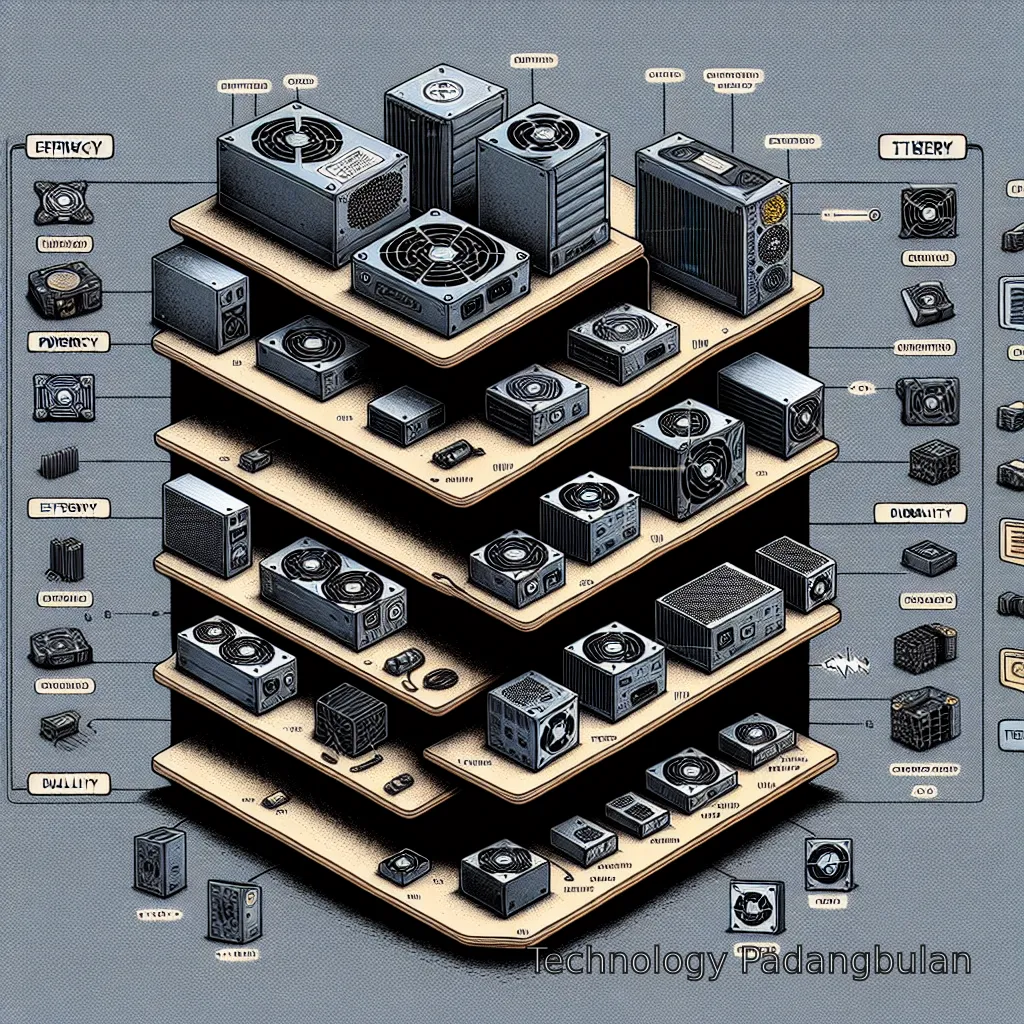
At its core, a Power Supply Unit (PSU) converts the alternating current (AC) from your wall outlet into direct current (DC) that your computer’s components can actually use. Sounds simple enough, right? Well, there’s more to it than just flipping a switch. A good PSU doesn’t just supply power; it supplies *clean*, *stable*, and *efficient* power. Imagine trying to drive a car with an engine that constantly sputters and stalls – that’s what a low-quality PSU can do to your PC. It introduces electrical noise, delivers inconsistent voltage, and can even fail spectacularly, taking other components with it.
Read also : PC Component Reviews
Beyond just powering on, a high-quality PSU is crucial for:
- **System Stability:** Prevents random crashes, freezes, and ‘blue screens of death’ by ensuring consistent power delivery.
- **Component Longevity:** Stable power reduces stress on your CPU, GPU, RAM, and storage drives, extending their lifespan.
- **Efficiency:** A more efficient PSU wastes less energy as heat, saving you a bit on your electricity bill and keeping your system cooler.
- **Safety:** Quality PSUs come with multiple protection circuits (over-voltage, under-voltage, over-current, short-circuit, etc.) to safeguard your entire system from electrical mishaps. This is a big one – you don’t want your expensive graphics card turning into a smoke machine because of a cheap PSU!
In essence, a PSU is the foundation upon which your entire PC build rests. You wouldn’t build a skyscraper on a shaky foundation, would you? The same logic applies here.
Read also : Best CPU reviews for gaming
Decoding the Tier List: What Makes a PSU Great?
So, how do experts categorize PSUs into different tiers? It’s not just about how much power they can deliver. A comprehensive **power supply unit tier list** considers several vital factors that collectively determine a PSU’s quality, reliability, and overall value. Let’s break down the key ingredients:
### Efficiency Ratings (The 80 PLUS Standard)
This is one of the most commonly cited metrics, and for good reason. The 80 PLUS certification program rates PSUs based on their energy efficiency at various load levels (20%, 50%, 100%). The higher the rating, the less energy is wasted as heat, meaning cooler operation and lower electricity bills. The ratings go from Bronze (good) to Silver, Gold (often the sweet spot for value), Platinum, and Titanium (the best, but also the most expensive). For example, an 80 PLUS Gold PSU operates at around 87-90% efficiency, meaning only 10-13% of the power drawn from the wall is lost as heat. This might seem like a small percentage, but over years of use, it adds up!
### Reliability & Build Quality: The Guts of the Beast
This is where the real engineering prowess comes in. What’s inside that metal box? Higher-tier PSUs use premium components like Japanese capacitors, robust transformers, and advanced protection circuitry. These components can handle higher temperatures, last longer, and provide cleaner power. Lower-tier units often cut corners here, using cheaper, less durable parts that are prone to failure, especially under sustained load or fluctuating temperatures. Think of it like comparing a finely tuned sports car engine to a basic lawnmower engine – both produce power, but the quality, longevity, and performance are worlds apart.
### Wattage: How Much Power Do You Really Need?
Choosing the right wattage is crucial. Too little, and your system won’t run stably, or even at all. Too much, and you’ve spent extra money on capacity you’ll never use. A good rule of thumb is to calculate your system’s total power draw (CPU, GPU, motherboard, drives, etc.) and then add a healthy buffer of 20-30% for future upgrades and peak power spikes. You can find many online PSU calculators that help with this. While a higher wattage isn’t inherently better if you don’t need it, it’s about having *enough* reliable power. You wouldn’t put a huge engine in a tiny car, nor a tiny engine in a huge truck, right?
### Modular vs. Non-Modular: Cable Management Bliss (or Nightmare)
- **Non-Modular:** All cables are permanently attached. Cheap, but messy. Good for budget builds where aesthetics aren’t a priority.
- **Semi-Modular:** Essential cables (like motherboard power) are fixed, but others (peripherals, GPU) are detachable. A nice balance for many builders.
- **Fully Modular:** Every single cable detaches from the PSU. This offers the ultimate in cable management, allowing you to only use the cables you need, leading to a cleaner build and improved airflow. Definitely a premium feature, but one that makes building and upgrading much easier.
### Noise Levels
Nobody wants their PC to sound like a jet engine. Better PSUs often feature larger, quieter fans or even ‘fanless’ modes where the fan only spins up under heavy load, providing silent operation for most tasks. Cheaper units might have smaller, louder fans that run constantly.
### Brand Reputation & Warranty
Established brands like Seasonic, Corsair, EVGA, be quiet!, and Cooler Master (among others) have built reputations for quality and offer substantial warranties (5-10 years is common for higher-end units). A long warranty is a strong indicator of a manufacturer’s confidence in their product’s durability. Always check reviews and the warranty period before committing.
Navigating a Power Supply Unit Tier List: Understanding the Tiers
Now that we know *what* makes a PSU great, let’s talk about how these factors translate into a typical **power supply unit tier list**. It’s important to remember that these lists are often dynamic and compiled by hardware enthusiasts and reviewers who rigorously test these units. They’re usually categorized from S (the best) down to E or F (to be avoided).
### Tier S (Elite / Best of the Best)
These are the crème de la crème. We’re talking about units with top-tier efficiency (Platinum or Titanium), using only the highest quality Japanese capacitors and robust protection circuits. They offer exceptional voltage regulation, minimal ripple, and often come with very long warranties (7-10+ years). These are for serious enthusiasts, overclockers, and anyone building a high-end system where stability and longevity are paramount, and budget is less of a concern. Expect near-silent operation and unwavering reliability. Think of these as the ultimate guardians of your high-value components.
### Tier A (Excellent / High Performance)
Units in Tier A are still outstanding performers, often Gold or Platinum rated, with excellent components and protection features. They offer a fantastic balance of performance, reliability, and usually a slightly more palatable price than Tier S. This tier represents the sweet spot for most high-end to mid-range gaming PCs and workstations. They’re often fully modular, quiet, and come with solid warranties, providing peace of mind for years to come. This is where many builders find fantastic value.
### Tier B (Good Value / Solid Performance)
This tier is often home to very popular and widely recommended PSUs. They are typically 80 PLUS Gold or Silver rated, offer good voltage regulation, and adequate protection features using a mix of quality components. While they might not be ‘silent’ or use *all* Japanese capacitors, they provide very reliable power for the vast majority of mainstream gaming and productivity builds. If you’re looking for a dependable workhorse without spending a fortune, Tier B is often where you’ll land. Many semi-modular options reside here, offering a great blend of price and functionality.
### Tier C (Acceptable / Budget Friendly)
Tier C units are generally suited for basic office PCs, HTPCs (Home Theater PCs), or very entry-level gaming systems with less demanding components. They might be 80 PLUS Bronze rated, non-modular or semi-modular, and feature more basic components. They get the job done, but don’t expect exceptional longevity or performance under heavy, sustained loads. They lack some of the advanced protection features and might be a bit louder. Use them where cost is a major constraint, but always verify individual reviews.
### Tier D (Use with Caution)
This tier includes older designs, less efficient units, or those from less reputable manufacturers. While they might power on your PC, they often come with compromises in reliability, protection, and efficiency. They are not recommended for any build with valuable components or for systems that will be under consistent load. Voltage regulation can be poor, and ripple higher. These units are often ‘just good enough’ but carry a higher risk of premature failure or even component damage.
### Tier E/F (Avoid at All Costs)
These are the truly dangerous units. Often uncertified, grossly inefficient, lacking essential protection circuits, and prone to catastrophic failure. They can damage other components, pose a fire hazard, and offer zero peace of mind. Steer clear of any PSU falling into these tiers, regardless of how cheap it seems. Your PC, your home, and your safety are worth more than a few dollars saved here.
Finding the Right PSU for Your Build: A Practical Guide

Armed with knowledge about the **power supply unit tier list**, how do you actually pick the right one for *your* specific PC? It boils down to a few key considerations:
1. **Assess Your Components:** This is step number one. Your CPU and GPU are the biggest power hogs. For instance, a high-end GPU like an RTX 4080 or RX 7900 XTX will demand significantly more power than a budget-friendly GTX 1650. Similarly, a top-tier Intel i9 or AMD Ryzen 9 needs more juice than an i3 or Ryzen 3. Use an online PSU calculator (there are many free ones available) to get a realistic estimate of your system’s total wattage requirement. Don’t forget to account for your motherboard, RAM, storage drives, and any RGB or fans! You can also check out our general guide on PC Component Reviews for insights into other parts.
2. **Factor in Future-Proofing:** Are you planning to upgrade your GPU or CPU in the next 2-3 years? If so, consider getting a PSU with a bit more wattage than you currently need. For example, if your current build requires 550W, jumping to a 750W or 850W PSU might be a smart move, especially if you plan on getting one of the best CPUs for gaming or a more powerful graphics card down the line. It’s often cheaper to buy a slightly higher wattage PSU now than to replace it entirely later.
3. **Consider Your Budget (Wisely):** While it’s tempting to save money on the PSU, this is one area where being *too* frugal can bite you. Aim for at least a Tier B or Tier A unit if your budget allows. If you’re on a very tight budget, a solid Tier C can work for less demanding builds, but ensure it’s from a reputable brand and has good reviews. Remember, a PSU failure can take out your entire system, so a few extra dollars spent upfront is an investment in your PC’s health.
4. **Read Reviews, Always:** Even within tiers, individual models can vary. Always look for detailed professional reviews that include ripple tests, voltage regulation charts, and teardowns. User reviews can also give you insight into common issues or noise levels.
5. **Aesthetics and Cable Management:** If you have a showcase PC with a transparent side panel, a fully modular PSU will make your life much easier and your build much cleaner. If your PC sits under a desk out of sight, a semi-modular or even non-modular unit might be perfectly acceptable.
Common Mistakes to Avoid When Choosing a PSU
Even with a comprehensive **power supply unit tier list** at your disposal, it’s easy to fall into common traps. Here’s what to look out for:
- **Underestimating Wattage Needs:** The biggest mistake! Your PC isn’t always at idle. During gaming or intense tasks, components draw significantly more power. Always calculate and add a buffer.
- **Ignoring Efficiency Ratings:** Buying a cheap, inefficient PSU might save you a few bucks initially, but it will cost you more in electricity over time and generate more heat inside your case. An 80 PLUS Gold unit is often the best balance.
- **Buying the Cheapest Unit You Can Find:** This is akin to putting the cheapest tires on a performance car. It’s a recipe for instability and potential disaster. There’s a reason those super-cheap, unknown-brand PSUs are so cheap – corners were cut, and not in a good way.
- **Relying Solely on Brand Name:** While brand reputation is important, manufacturers often have different tiers of PSUs themselves. A ‘gaming’ PSU from Brand X might be excellent, while their ‘budget’ line from the same brand could be mediocre. Always check the specific model and its tier.
- **Not Considering Cable Lengths and Connectors:** This is less about performance and more about frustration. Ensure the PSU comes with enough connectors for all your components (especially your GPU’s power cables) and that the cables are long enough to reach from the PSU to the components in your case, especially for larger full-tower cases. For example, some older PSUs might not have enough 8-pin PCIe connectors for modern, power-hungry GPUs.
Choosing a PSU is less exciting than picking a GPU, but it’s arguably more critical for the overall health and stability of your PC. Don’t let it be an afterthought!
Conclusion
And there you have it! The humble Power Supply Unit, often overlooked, but undeniably the backbone of any reliable PC build. Understanding the nuances of a **power supply unit tier list** isn’t just for tech gurus; it’s a vital piece of knowledge for anyone looking to build, upgrade, or even just maintain their computer with confidence. By prioritizing quality, efficiency, and reliability, you’re not just buying a PSU; you’re investing in the longevity, stability, and safety of your entire system. So, the next time you’re planning your dream PC, remember to give the ‘heart’ the attention it deserves. Your computer will thank you for it with years of smooth, powerful performance.
References
FAQ
How often should I replace my PSU?
Generally, a high-quality PSU from a reputable brand can last 7-10 years, sometimes even longer, especially if it’s been running within its optimal load range. Cheaper or lower-tier units might only last 3-5 years. You should consider replacing it if you experience system instability, hear unusual fan noises, or if you’re upgrading to significantly more power-hungry components that exceed your current PSU’s capacity.
Does a higher 80 PLUS efficiency rating save me money?
Yes, it does! A higher efficiency rating (e.g., Gold, Platinum, Titanium) means the PSU wastes less electricity as heat and delivers more power to your components. While the upfront cost might be higher, the savings on your electricity bill over the PSU’s lifespan, especially if your PC runs for many hours a day, can often offset the initial difference. Plus, less heat means a cooler, potentially quieter system.
Can a bad PSU damage other components in my PC?
Absolutely. A low-quality or failing PSU can supply unstable voltages, surges, or ‘dirty’ power to your components. This can stress and potentially damage expensive parts like your CPU, GPU, motherboard, and storage drives. Reputable PSUs include multiple protection circuits specifically to prevent this from happening.
What’s the real difference between fully modular and semi-modular PSUs?
A fully modular PSU allows you to detach *every* cable from the unit, giving you maximum flexibility for cable management and using only the cables you need. A semi-modular PSU has essential cables (like the main 24-pin motherboard power and often the 8-pin CPU power) permanently attached, while other cables (for GPU, drives, peripherals) are detachable. Both are better for cable management than non-modular, but fully modular offers the cleanest aesthetic.
How do I calculate the wattage I need for my PC?
The easiest way is to use an online PSU wattage calculator. Websites like PCPartPicker, OuterVision, or many PSU manufacturer sites offer tools where you input your specific CPU, GPU, RAM, storage, and other components. They’ll give you an estimated total wattage, to which you should add a 20-30% buffer for optimal efficiency and future upgrades.
Are all power supplies the same physical size?
No, PSUs come in various form factors. The most common is ATX, which fits most standard desktop cases. However, smaller form factors like SFX (Small Form Factor) and SFX-L are designed for compact cases, and their dimensions are significantly smaller. Always check your PC case’s specifications for PSU compatibility before purchasing.
Where can I find an up-to-date, detailed PSU tier list?
Many reputable hardware review sites and enthusiast forums maintain detailed, frequently updated PSU tier lists. Sites like Linus Tech Tips (LTT) forums, Tom’s Hardware, TechPowerUp, and Gamers Nexus often have community-curated or expert-reviewed lists that go into specific models and their respective tiers. Always cross-reference multiple sources for the most comprehensive information.